 |

SQLMagic
Information :

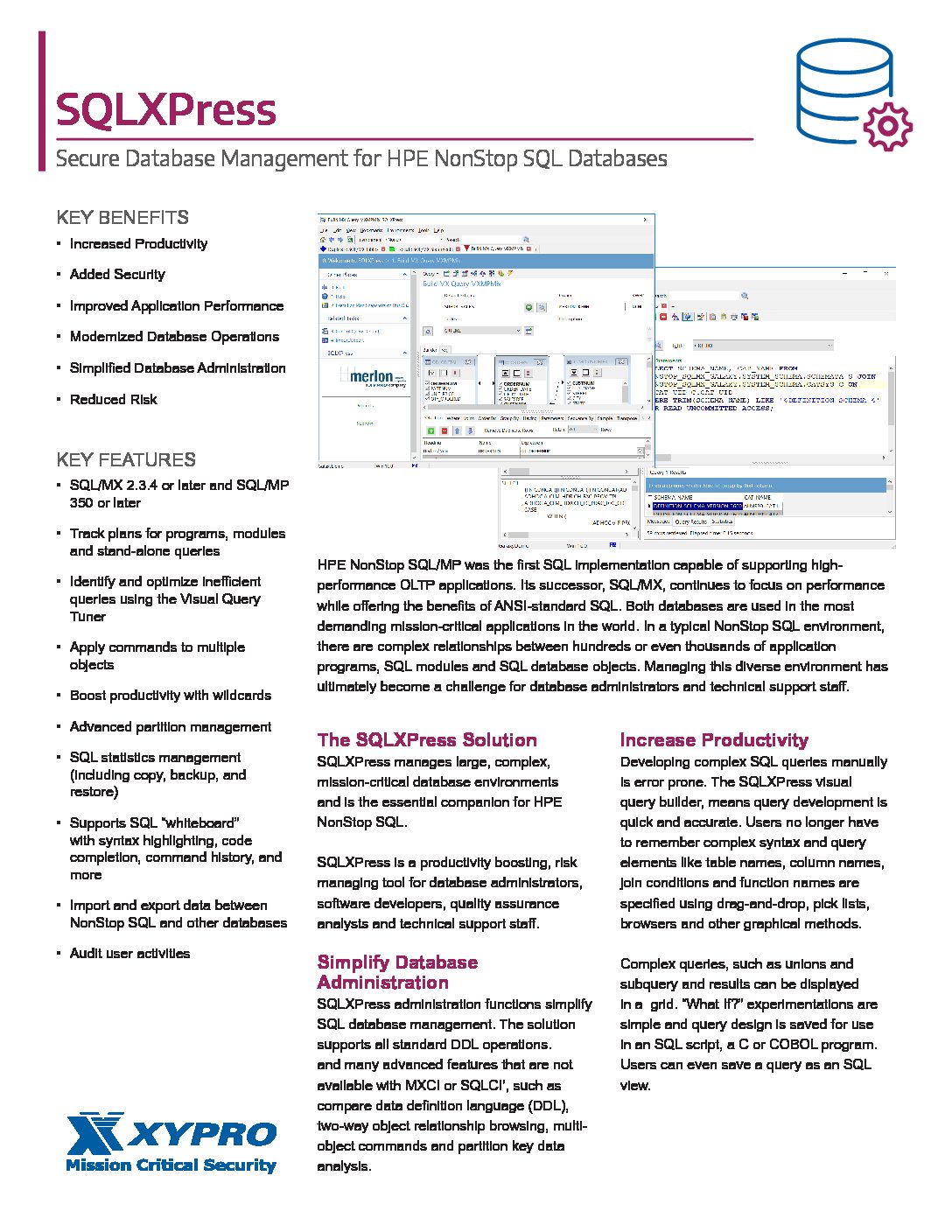
SQLMagic is an easy-to-use Windows based graphical interface to SQL/MP
running on HP Nonstop systems
SQLMagic's key features include:

Effective User Interface
The SQLMagic client program runs under the Microsoft Windows operating
system.
It provides a familiar, easy to use "Explorer-like" interface which
enables the user to become productive in a very short time.

Efficient Implementation
The SQLMagic server program runs under the NonStop Kernel operating
system.
It provides fast access to NonStop SQL/MP databases. All SQL statements
use native SQL/MP syntax, and a dynamic SQL statement cache eliminates
unnecessary SQL compilations.

Database Management
The user can quickly create, alter, or drop SQL objects such as tables,
views, and indexes.
In addition, a powerful set of wizards helps you perform complex tasks
like splitting a partition, moving a table, or creating a new database.
The wizards do much more than simply generate SQL statements. For
example: the split partition wizard can calculate the key value
required to make the split at a specified percentage of the records.
The create database wizard can create a new database that looks like an
existing database, but with the size of the tables and indexes scaled
up or down as required.
Some functions (for example, creating an index, or splitting a
partition) may take a long time to perform. You can instruct SQLMagic
to perform these as background tasks, or you can generate a script that
can be scheduled for execution by NetBatch, or another job scheduling
tool.

Table Maintenance
It is often convenient to browse SQL tables, and to insert, update, or
delete rows, especially in a development or testing environment. This
is easily accomplished using SQLMagic.
The rows in a table can be displayed in the order determined by the
primary key, or any of the table's indexes. You can restrict which rows
are displayed by specifying a filter expression. This is especially
useful for large tables.
An Import Data wizard allows you to import data into a table. The data
source can be a PC file in CSV format, an ODBC data source, or an NSK
file.
An Export Data wizard allows you to export data from a table or view.
The data can be written to an NSK file in CSV or Enscribe format, to an
ODBC data source, or to a PC file in CSV format.

Visual Query Builder
The Visual Query Builder lets you quickly create queries using familiar
graphical operations such as drag and drop. You don't need to type long
and complicated commands, or even remember column names - creating even
the most complex of queries requires only a few keystrokes or mouse
clicks.
Once a query has been built, it can be saved for use at a later time.
Queries are stored in a Nonstop SQL database. Each query has a security
string which specifies which users can view, alter, run, and delete the
query.
A query can be "live", or "static". A Live query runs immediately, and
displays the current data from the database. In contrast, a static
query takes a snapshot of the data and stores it in a Nonstop SQL
table. You can view this "result table" at a later time.
The query builder supports run time parameters. Each time the query is
run, the user is prompted to supply a value for each parameter in the
query. Parameters are usually used in search conditions, this allows
the user to select a different set of rows each time the query is run.

SQLView
SQLView allows non-technical users to display and print reports from
data stored in a NonStop SQL/MP database. No knowledge is required of
the NSK system, or of SQL to use SQLView.
The user can run queries prepared using the SQLMagic Visual Query
Builder, and can browse database tables or views.
Simple reports can easily be produced.
Data can be exported to a CSV file.

Reporting
Simple reports can be easily created from SQL catalogs, queries,
tables, and views.
The Page Setup window allows the user to customize the layout of
reports. Layout options include "fit to page", column wrapping,
columnar reports and record by record reports.
The Print Preview window allows the user to display the report on the
screen before printing it.

Managed SQL Compilation
It is very important to ensure that SQL programs are properly SQL
compiled. This prevents unnecessary automatic recompilation, and
ensures optimal application performance.
SQLMagic maintains a database of SQL compiler options and TACL DEFINES.
This information is used to ensure programs are compiled correctly each
time. SQLMagic can determine which programs require recompilation due
to a database change like moving a table, or adding an index.
Compilation is performed online, or via a TACL script.

SQL Statement Use and Cost
SQLMagic provides a number of reports on SQL statement use and cost.
- The Explain SQL Statements report displays
information about all the SQL statements in a single program.
- The Explain SQL Uses report displays
information about all the SQL statements that refer to a particular
table. Each program that refers to the table is included in the report.
- The Explain All report contains a summary of
the SQL statements in one or more programs. The report is in CSV
format, and is suitable for importing into a spreadsheet. Once in a
spreadsheet, the information can be sorted by statement cost, program
name or various other fields. (If Microsoft Excel is installed on your
PC, the report is automatically imported into an Excel worksheet).

SQL Statistics Management
The SQL compiler uses statistics stored in the catalog to select a
strategy for an execution plan. The Update Statistics wizard helps you
update the statistics for a table.
SQLMagic allows you to copy statistics from one table (or index) to
another. This allows you to test the execution of SQL statements on a
test database using production database statistics.

DDL Statements
SQLMagic can generate DDL statements that describe SQL objects such as
tables, view, or indexes. For tables, it can also generate the Enscribe
DDL definition. You can edit the DDL text, or save it to a file.

Batch Processing
SQLMagic can generate scripts to perform SQL operations in batch mode.
This is most useful for long-running, or resource intensive operations
that must be performed during off-peak times. The scripts can be
scheduled for execution using NetBatch or a similar job scheduling tool.

SQL Command Processor
The SQLMagic command processor provides an easy to use interface to
SQLCI. A powerful command history facility allows the user to recall
and edit previously executed commands, and to re-display the output
from previously executed commands.

Nonstop SQL/MP Online Help
The SQLMagic client program provides an easy to use interface to the
Nonstop SQL/MP help system. Using a familiar Windows-style interface
you can:
- Access context-sensitive help
- Select a help topic from an index
- Search for help topics
- Jump to another topic using a hyperlink
- Go back to previous topics
- Print help topics
XYGATE/AC Interface
SQLMagic can be used with
XYPro Technology Corporation's XYGATE/AC product. For more
information on this feature, click
here

SQLMagic is simply the best tool available for managing NonStop SQL/MP
databases. It provides a rich set of features to help make database
administrators, application developers, technical support staff, and
software testers more productive.

What's New
Click
here to view the readme file.

System requirements
PC: Windows XP or Windows 2000
Professional (SP2 or later).
Nonstop System: Himalaya K series (D40
or later), S Series (G03 or later), or Integrity Nonstop (H01 or
later).
|
|
|
|